
TL;DR
Virtual staging improves listings only when used transparently and within MLS rules. Disclose all edits, avoid altering permanent features, and focus on showcasing layout and possibility. Done right, virtual staging builds trust and helps buyers visualize without risking complaints or violations.
Why Most Agents Struggle With Virtual Staging Compliance
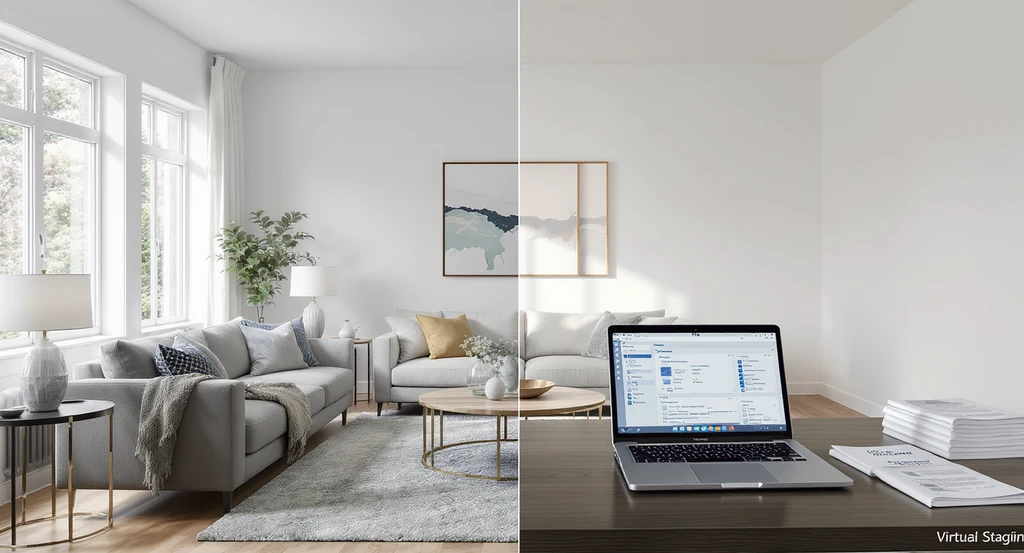
See how to use virtual staging without MLS violations: a side-by-side of staged vs. empty spaces highlights mls compliant virtual staging tips and best practices for transparent listing photos.
Empty rooms rarely communicate possibility on their own. Buyers scroll quickly, form impressions instantly, and often make emotional judgments before reading a single property detail. Virtual staging helps bridge imagination and reality by giving buyers context, helping them visualize how a space could look and function. However, when used incorrectly, the same images intended to create excitement can lead to disappointment, confusion, complaints, and even MLS compliance issues.
The real question is not whether virtual staging works, it is how to use it in a way that clearly shows buyers what is real, what is digitally imagined, and what actually exists in the home today. Marketing should support informed decision-making, not create unrealistic expectations. The line between inspiration and misrepresentation matters more than many agents realize. According to our guide on California MLS digital image rules, evolving regulations are making it increasingly important for every listing to follow clear image disclosure and compliance practices.
-
The Real Impact of MLS Imaging Rules
Most agents associate MLS violations with pricing mistakes or incorrect property details. However, listing images create risk too. Photos often act as a buyer’s first property visit, shaping expectations long before a showing is ever scheduled. Buyers form quick assumptions based on what they see, making image accuracy just as important as listing data.
When virtual staging exaggerates room size, hides flaws, or alters permanent features such as removing power lines or changing window views, the gap between expectation and reality widens. Buyers arrive expecting one experience and encounter another. This creates what can be called the Visualization Trust Gap, a disconnect between what buyers believed they were seeing online and what actually exists in person.
MLS organizations consistently emphasize one principle: enhance, but never misrepresent. The safest approach is to showcase a property's true potential without changing its structure, layout, or permanent character. For additional guidance, review our MLS virtual staging best practices breakdown.
Expert Insight
An agent listed a vacant condo and used virtual staging to add oversized furniture and expand window views. Engagement online was high, but visitors kept saying the space felt much smaller. After switching to scale-accurate furniture and clear disclosure, showing quality improved, the property looked true to life online and in person.
-
What Virtual Staging Can Safely Show
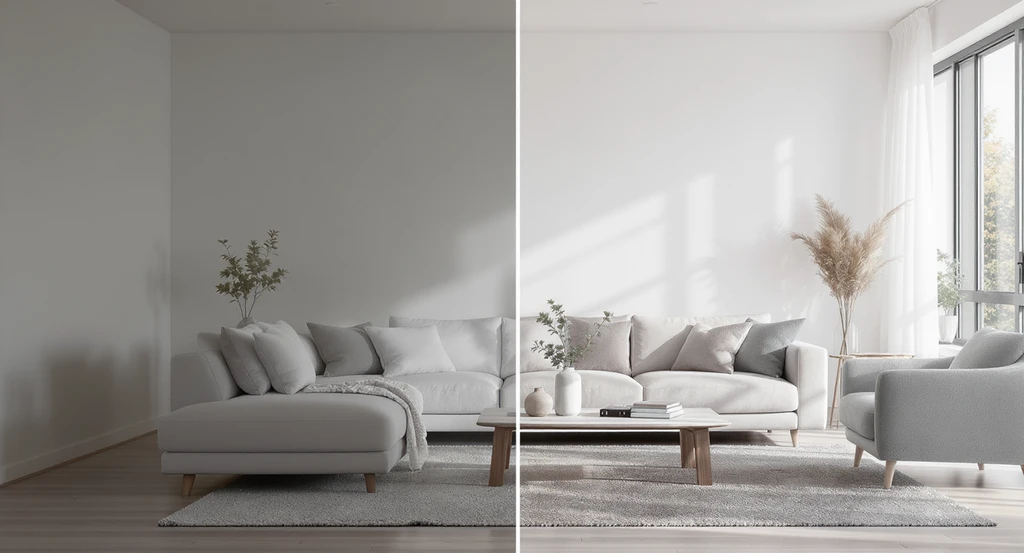
See best practices for transparent listing photos and mls compliant virtual staging tips—this living room illustrates how to use virtual staging without MLS violations, ensuring realistic, faithful representations that help buyers visualize homes and support disclosure requirements.
Virtual staging works best when it helps buyers understand how a space can be used rather than transforming it into something it is not. The most widely accepted approach is to enhance visualization while preserving the property's actual layout, features, and condition.
- Adding furniture to empty rooms using realistic scale and natural placement
- Experimenting with décor or layout variations, such as changing design styles or rug placement
- Improving brightness or making subtle lighting adjustments that remain faithful to the property's real appearance
These enhancements help buyers better understand room layout, flow, and design potential without creating misleading expectations. To stay MLS compliant, staged images should always reflect what is physically possible within the actual space.
-
Major Virtual Staging Pitfalls and Violations
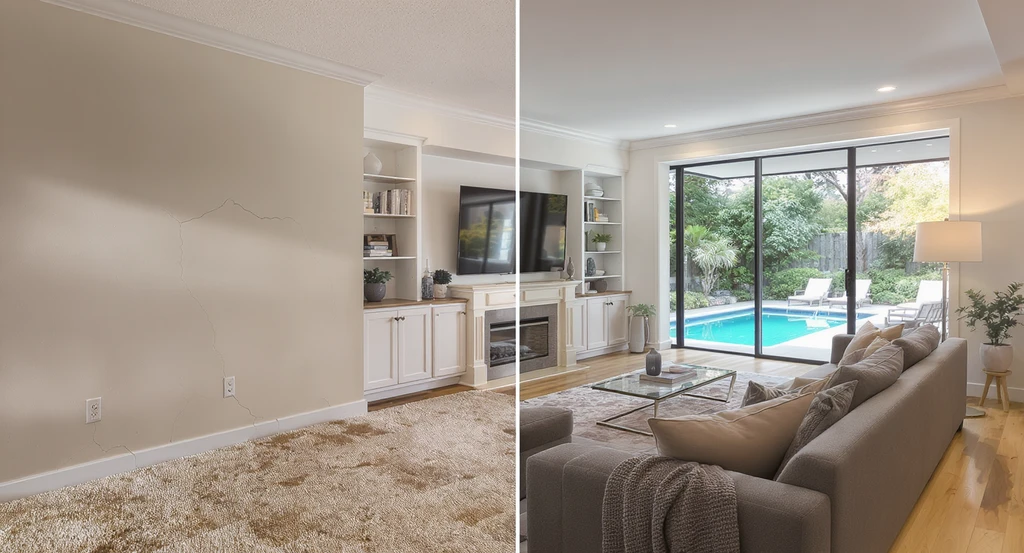
This side-by-side virtual staging example demonstrates major MLS violations—concealing flaws, altering architecture, and adding features. For how to use virtual staging without MLS violations and mls compliant virtual staging tips, always disclose virtual edits and keep images true to the home's actual state.
Mistakes occur when edits go beyond cosmetic. Risky practices include:
- Hiding permanent flaws such as wall cracks, stains, or outdated flooring
- Changing architecture – expanding windows, raising ceilings, or adding/removing built-ins
- Digitally renovating rooms so they differ from the home's current state
- Adding exterior elements like pools that do not exist or obscuring neighborhood realities
-
The Three-Level MLS Safety System
To simplify, classify each edit before publishing:
- Visualization: Furniture, rugs, décor. Purely aids imagination. Essentially always safe.
- Enhancement: Lighting correction, minor decluttering. Sometimes safe, use moderate caution.
- Transformation: Structural change, new features, or hiding flaws. Almost always a violation.
-
MLS Disclosure: The Simple Rule That Solves Most Problems
MLS disclosure requirements have become stricter. Every virtually staged image should clearly state that it’s been digitally altered, either with a small watermark, caption, or written note in the listing. Failing to do so can result in listing removal or disciplinary action. Learn why transparent disclosure not only protects compliance but also strengthens buyer confidence in this detailed discussion on staging disclaimers.
-
Step-by-Step Workflow for Safe and Effective Virtual Staging
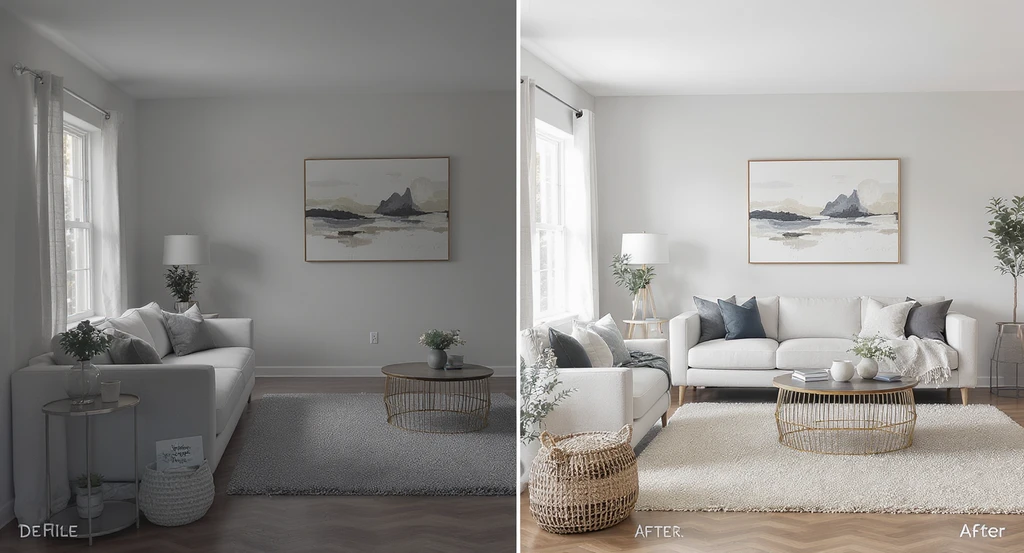
How to use virtual staging without MLS violations: Ensure mls compliant virtual staging by adding only furniture, matching scale, and clearly disclosing staged images for best practices in transparent listing photos.
Follow this system before uploading to your MLS:
- Start with high-quality, unedited photography. Avoid images that require heavy digital correction.
- Stage by adding only removable décor and furniture, never changing the room shape, size, or permanent fixtures.
- Maintain realistic scale for every added item. Keep sofas, beds, and tables proportionate to the room.
- After editing, ask: “Would a buyer expect this to exist exactly as shown?” If not, revise or remove the image.
- Add clear virtual staging disclosure to every digitally altered image.
- Review your local and MLS-specific guidelines each time. Rule changes increasingly common, see our update on California’s MLS image law.
-
Why Transparency Actually Improves Listing Performance
Many agents assume disclosure reduces marketing impact, but in practice it often creates the opposite effect. When buyers understand that virtual staging is being used to help visualize possibilities, not to hide reality, they approach listings with more accurate expectations. Trust remains intact, and qualified leads improve because buyers feel informed rather than misled.
Listings perform best when online visuals closely match the in-person experience. Clear and consistent disclosure helps reduce confusion, strengthen engagement, and minimize complaints. Over time, transparency supports stronger sales outcomes and builds long-term brokerage credibility. For practical implementation ideas, explore our virtual staging disclaimer recommendations.
-
Protecting Your Process and Paper Trail
Maintain a secure archive of original and edited images, together with your disclosure text. This supports you in any compliance audit and reinforces a system-driven approach. If the MLS or a buyer questions an image, you’ll be able to show exactly what you did, reducing liability and supporting a professional workflow.
Visualization Scenario
Imagine a blank living room. In one virtual staging, you add realistic furniture, art, and lighting, buyers visualize living there. In another, you remove walls and enlarge windows, making the space bigger than reality. The first scenario supports smart decision-making. The second risks disappointment and compliance issues.
Frequently Asked Questions
- Is virtual staging allowed under most MLS rules?
- Usually, yes. However, the staging must not mislead buyers, alter permanent features, or obscure property flaws, and often requires clear disclosure. Always check your local MLS guidelines for specifics.
- What is considered a violation in virtual staging?
- Removing defects, changing architecture (such as wall height or window size), or adding features that don’t exist, typically breaches MLS policy and risks complaints.
- Do I need to label virtually staged images?
- Best practice—and often a requirement. Use watermarks, captions, or listing remarks to state images have been virtually staged, so buyers are not misled.
- Does disclosing virtual staging affect listing performance?
- Disclosure rarely discourages buyers. In fact, clear labeling increases buyer trust, which usually leads to higher quality leads and stronger engagement overall.
- Should I keep a record of original photos?
- Yes. Retain unedited photos, staged images, and a copy of disclosure statements as a basic compliance and risk management practice.
Summary: Responsible Virtual Staging Builds Trust, and Results
Virtual staging, handled responsibly, bridges buyer imagination with actual property conditions. The best results come from following MLS safety levels, focusing on visualization (never transformation), and consistently disclosing edits. It's not about making listings "look perfect;" it's about aligning expectations with reality to foster trust and accelerate sales. Clear, compliant visuals make listings stronger, improve engagement, and protect agents from costly missteps.