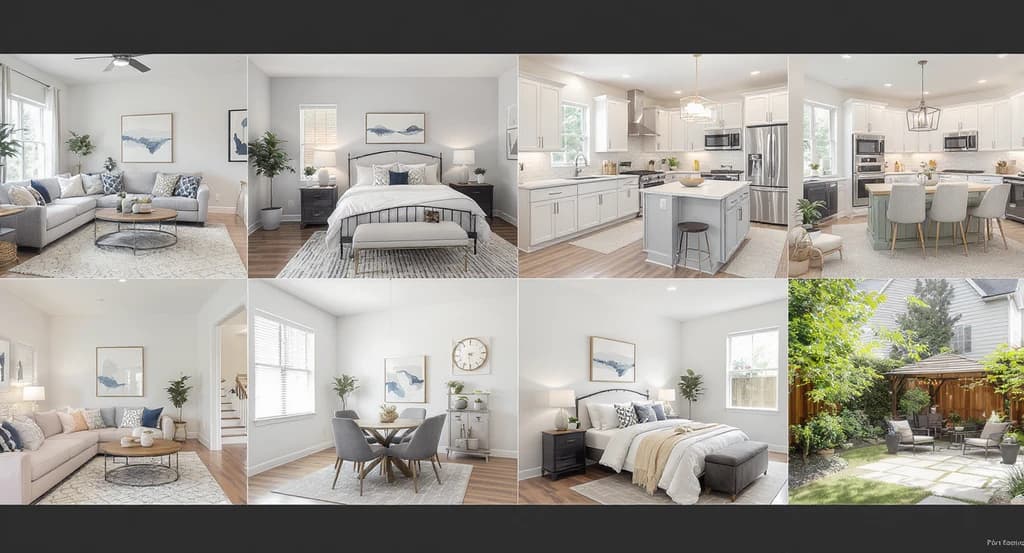
TL;DR
Most homes benefit from virtually staging only key rooms, not every photo. Focusing on spaces like living rooms, bedrooms, kitchens, and outdoor areas helps buyers visualize scale, function, and lifestyle. Strategic staging clarifies how spaces work and reliably increases buyer engagement while reducing unnecessary costs. Buyers rarely struggle because rooms are empty; they struggle because they cannot immediately understand scale, function, and lifestyle potential. Strategic virtual staging removes uncertainty and helps buyers visualize how a home actually works.
Why Strategic Virtual Staging Matters in Real Estate Listings
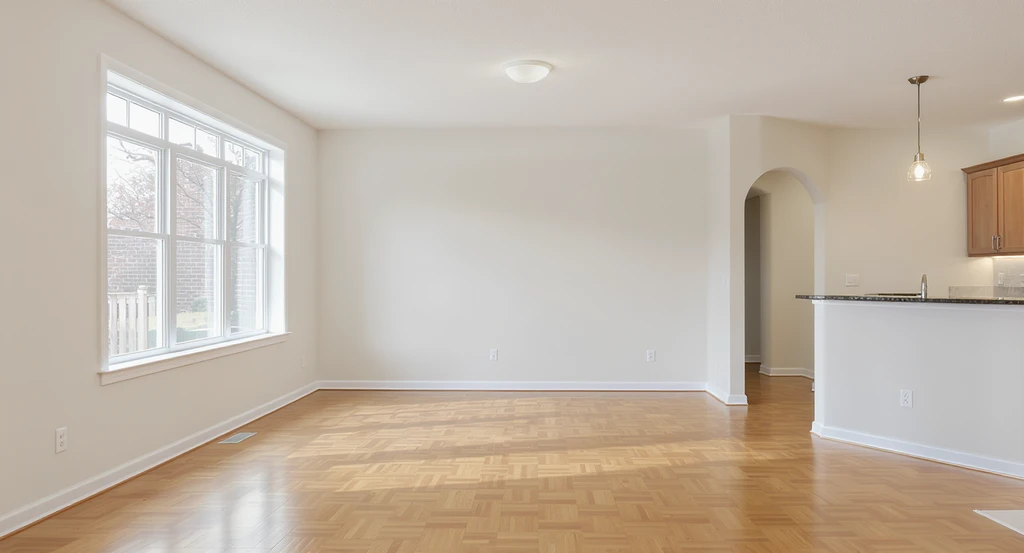
Unfurnished living and dining spaces highlight the impact of staged photos on home sales, showing why essential listing photos should be virtually staged for maximum real estate engagement and appeal.
Not every listing photo deserves virtual staging. The highest-performing listings usually prioritize only a handful of rooms, living spaces, bedrooms, kitchens, outdoor areas, and flexible rooms where visualization dramatically changes perception. Strategic staging reduces wasted spend while helping buyers understand how a home actually functions.
Online, not every space deserves the same visual investment. Staging every photo can increase costs and sometimes lead to visual inconsistency or even buyer skepticism. Instead, focusing on the eight most impactful listing photos maximizes results, reduces friction, and strengthens your listing’s clarity and appeal. As we explored in our breakdown of virtual staging versus empty photos, the right images drive faster decisions and higher engagement.
-
1. Living Room: Anchor Emotional Connection
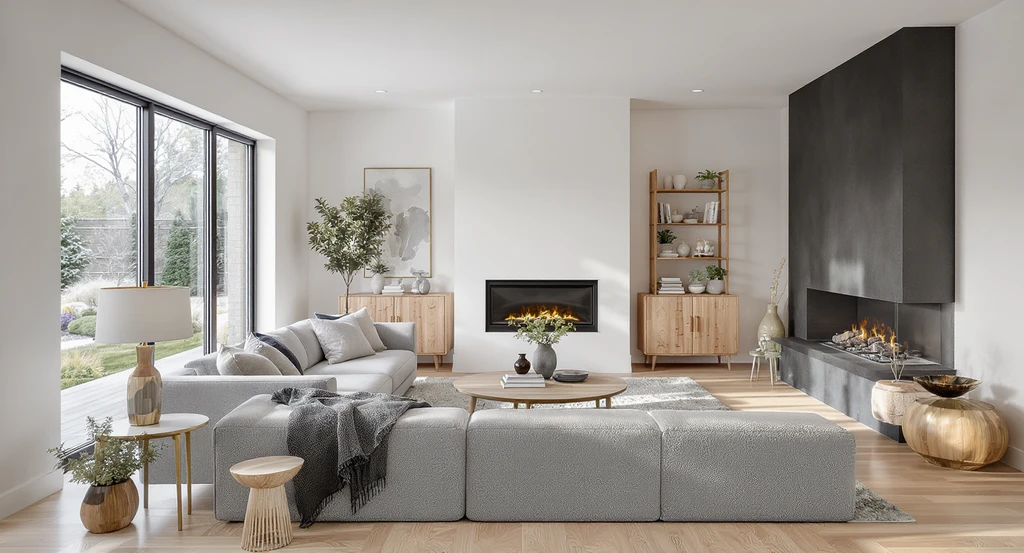
A virtually staged living room highlights the impact of essential listing photos, showing strategies to optimize real estate photos and boost home sales by creating an inviting, well-scaled space.
The living room acts as the practical and emotional anchor of any home listing. Buyers picture entertaining, relaxing, and making memories here. An empty living room often feels oversized but lifeless. Proper virtual staging quickly sets expectations around seating, layout, and traffic flow.
Common mistakes include overdecorating, using furniture that is too large (throwing off scale), or ignoring local style preferences. The safest way is to stage with a well-scaled sofa, clear traffic paths, and one focal point (like a TV wall or fireplace). This helps buyers instantly visualize how the space works.
Expert Insight
Agents frequently assume that staging more rooms automatically improves performance. In practice, the opposite often happens. Listings overloaded with staged utility spaces, hallways, and secondary rooms can create visual fatigue. Buyers stop distinguishing which spaces actually matter.
-
2. Primary Bedroom: Visualize Comfort and Scale
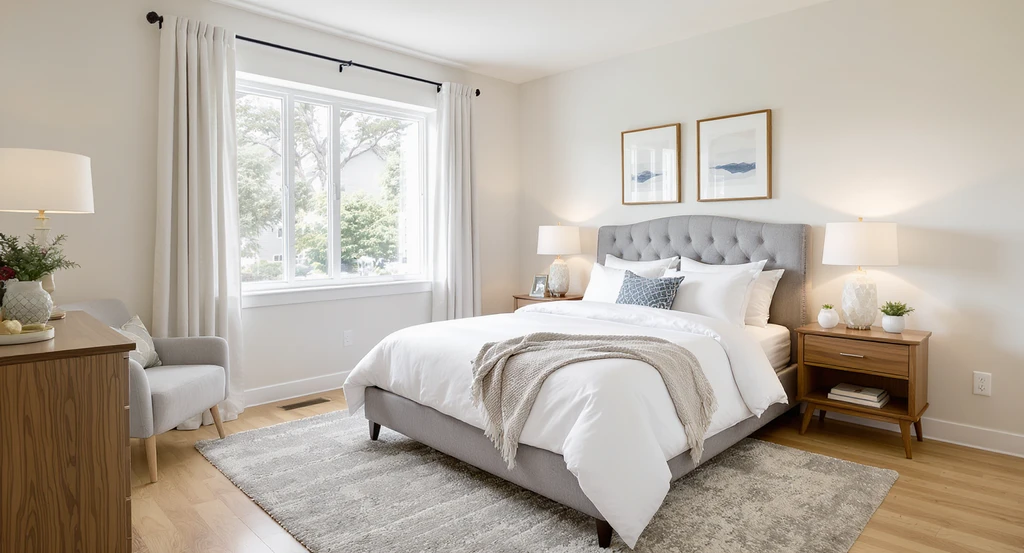
Virtually staging essential listing photos like this primary bedroom clarifies scale and comfort—helping home sellers optimize real estate photos and boost buyer engagement.
Bedrooms carry a different psychological weight, they are about privacy, retreat, and comfort. Most buyers struggle to judge scale: “Will my bed fit? What nightstand works here?” Empty bedrooms mask these answers.
Virtually staging with a bed, nightstands, lamps, and natural textures clarifies dimensions and gives a sense of luxury without distraction. Avoid visual clutter and oversized headboards that make the space feel smaller than it is. Well-staged bedrooms emphasize relaxation over showiness.
-
3. Kitchen: Stage for Daily Function
Kitchens usually have fixed elements, but small staging details, like barstools at the island, subtle countertop decor, or a bright breakfast nook, help buyers picture daily routines. The goal: add life without using so much decor that the kitchen looks cramped or cluttered.
Stage to create an active but clean atmosphere. Avoid themed styling or excessive props, which can feel inauthentic. Supporting elements should reinforce usability, not distract from the kitchen layout.
-
4. Dining Area: Define Purpose Instantly
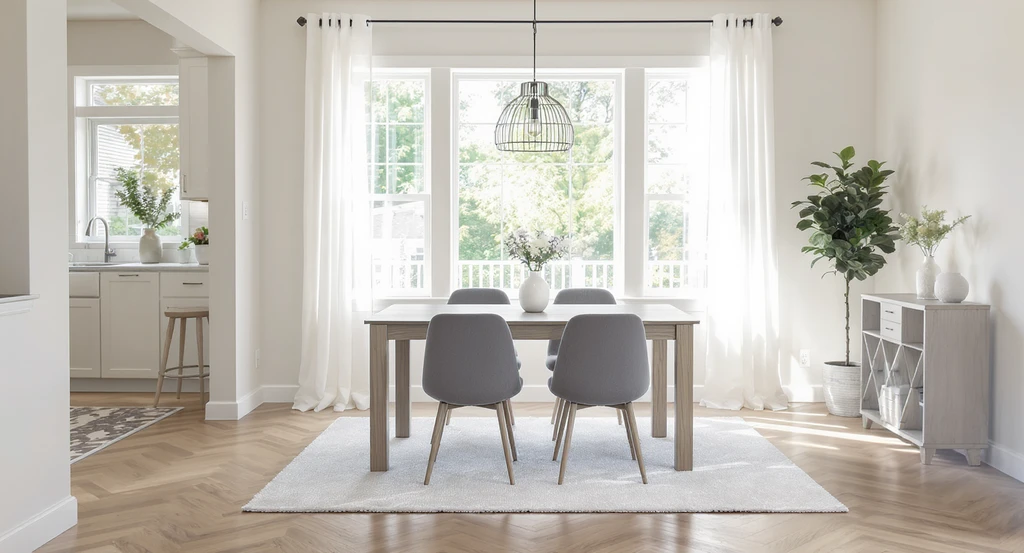
Staging your dining area with correctly scaled furniture in essential listing photos instantly clarifies space, showcasing function and optimizing real estate listing photos.
Dining areas are often sources of buyer confusion in empty listings. Is the room too narrow for a real table? Does it have awkward traffic paths? A clearly staged dining table and chairs quickly answer these questions.
Correctly scaled furnishings show seating capacity and flow. Avoid using a table that’s either too large (making the room feel crowded) or too small (not demonstrating function). Immediate clarity on room usage reduces decision friction for buyers.
-
5. Home Office or Flex Room: Show Versatility
Remote work dynamics make flexible rooms a priority. Empty extra bedrooms or lofts are missed opportunities if not staged as practical environments, a home office, creative space, gym, or reading room.
Virtual staging here should define both main purpose and adaptive options. For example, a staged desk with organized shelves signals a productive workspace without making the room feel single-use. Adaptability signals higher value to more buyer types.
-
6. Outdoor Living Spaces: Expand the Lifestyle
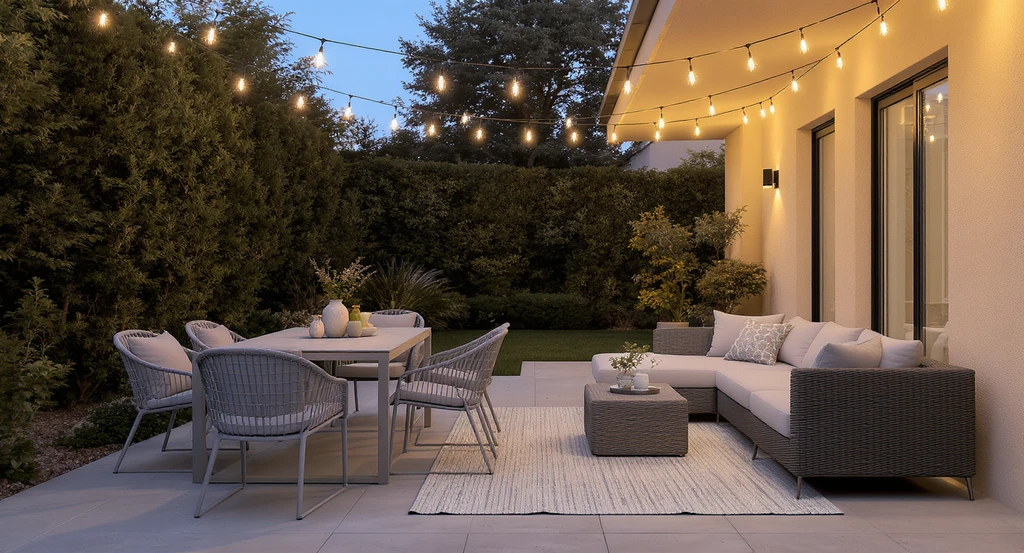
Staging outdoor living spaces with minimal but purposeful furniture elevates essential listing photos to virtually stage, demonstrating how to optimize real estate listing photos. This virtual staging strategy boosts perceived value and draws buyers to lifestyle-oriented home features.
Patios, decks, and balconies increase perceived value when visually connected to lifestyle. Bare outdoor shots feel cold or uninviting. A simply staged dining set, sectional, and soft lighting can transform an exterior from 'extra space' to 'essential living area.'
Overstaging outdoors (bulky furniture, too many props) creates visual clutter. Aim for 2–3 key elements showing primary uses, such as morning coffee spots or dinner gatherings. This approach increases emotional pull and perceived square footage.
-
7. Empty Bonus Rooms: Remove Uncertainty
Lofts, unfinished areas, and odd corners often become dead zones in listings. Buyers do not instinctively see them as playrooms, media rooms, or guest suites; instead, they feel confused about potential. Virtual staging must assign an obvious function that fits local needs and current demand.
The fastest way to improve performance is to stage these as flexible but defined spaces, as seen in our virtual staging before and after examples. This makes these photos assets rather than conversion risks.
-
8. The Hero Photo: The Make-or-Break Lead Image
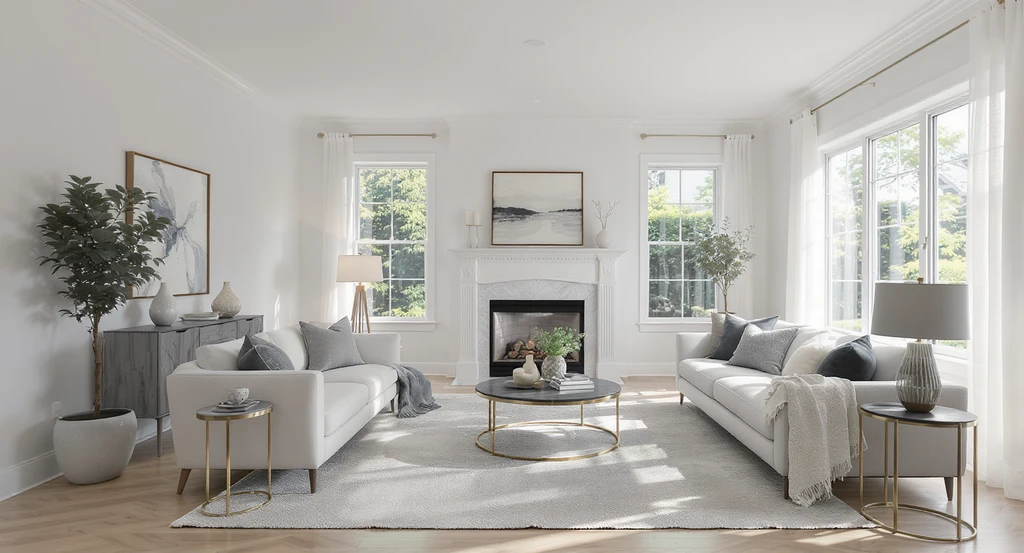
Virtually staged hero images are vital for essential listing photos—optimizing real estate listing photos and showcasing the best rooms to stage drives maximum impact and engagement.
The hero image, usually the best room or overall feature, dominates first impressions and click-through rates. Empty hero images struggle to build curiosity or energy. A virtually staged hero photo uses visual hierarchy: leading lines, proportionate furnishing, balanced lighting, and clear point of interest.
Always optimize this image for impact. For more on MLS technicalities and best practices, see our virtual staging MLS best practices guide.
-
Why Not Stage Every Photo?
Blanket staging often wastes budget and can create visual inconsistency. As discussed in our review of common virtual staging mistakes that reduce conversions, the best results come from focusing on key impact rooms, matching local style, and reflecting likely buyers.
Strategic staging answers real buyer questions, fast. Always prioritize clarity of use, traffic flow, and realistic scale over trendy décor or unnecessary accessories.
Unlike traditional staging, virtual staging allows agents to prioritize only the images that need visualization support. This makes virtual versus real staging less about cost alone and more about flexibility. Rather than physically furnishing every room, teams can invest selectively where visual impact matters most.
-
Step-by-Step: How to Prioritize Your Listing Photos for Staging
- Review your current listing images and identify which rooms feel confusing, empty, or lack a defined purpose.
- Rank spaces by functional impact, living, sleeping, eating, flex, and outdoor areas.
- Consider your target buyer’s likely priorities (family use, remote work, entertaining, etc.).
- Select the 4–8 images where visualization would most rapidly answer buyer questions.
- Stage these to clearly demonstrate size, flow, and lifestyle value.
- Finalize your hero image based on which photo gives the strongest first impression.
If you want to preview how impactful staging could look before committing resources, REimagineHome's visualization platform allows you to test furnishing concepts, layouts, and real staging outputs instantly. Use this as a decision layer before ordering final listing photos or hiring professional services.
-
Operational Solutions for Consistent Results
For larger portfolios or agent teams, operational friction often blocks consistent, high-impact media. Centralized tools like the Styldod Smart Media Module for real estate media infrastructure support workflow automation, media standardization, and scalable delivery across hundreds of listings, essential for brokerages and MLSs.
Visualization Scenario
Picture a buyer scrolling through a listing. The first image, a staged living room, grabs attention, a clear sofa setup faces a fireplace with daylight filling the space. Next, a staged primary bedroom shows a king bed and soft accents, signaling comfort. When the buyer sees a kitchen with casual barstools and an outdoor dining patio, they quickly form a complete vision of daily life, no guessing, no hesitation.
Frequently Asked Questions: Strategic Virtual Staging for Listings
- Do I really need to stage every photo for my listing?
- No. The best practice is to focus on the 6–8 rooms buyers care about most. Staging every photo can lead to visual inconsistency and higher costs without added value.
- What is the risk of over-staging?
- Over-staging often introduces scale errors, distracts from the home’s true features, and undermines listing credibility. Prioritize clarity and usability in your most important images.
- How do I pick the right hero image for my listing?
- Choose the photo that most clearly illustrates lifestyle potential and space usability. Living areas, open-concept zones, or bright, staged kitchens typically perform best as hero images.
- Can I preview virtually staged rooms before listing photos go live?
- Yes. Use visual staging tools to experiment with layout and styling before committing to a final media plan. This maximizes success and prevents costly rework.
- What’s the biggest visual mistake agents make with staging?
- Using furniture or decor out of scale with the room size, or staging every space identically. Both erode trust and make listings feel artificial rather than welcoming.
Key Takeaways: Focus Where Visualization Changes Perception
Most buyers don’t need to see every room staged. The greatest gains come from photos where visualization clarifies scale, use, flow, and lifestyle, especially living rooms, bedrooms, kitchens, and outdoor spaces. Strategic virtual staging removes uncertainty, supports decision speed, and outperforms blanket staging every time.